
Accept your proposal and sign your agreement
Your caterer's proposal shows what's included, the choices you can make, and the total. Accept it on your event page, then sign your agreement online.
Who can do this
The people your caterer invited to your event page.
Before you start
Your caterer emails you when your proposal is ready, with a button to see it. Open your event page first if you haven't (see Your event page).
Review your proposal
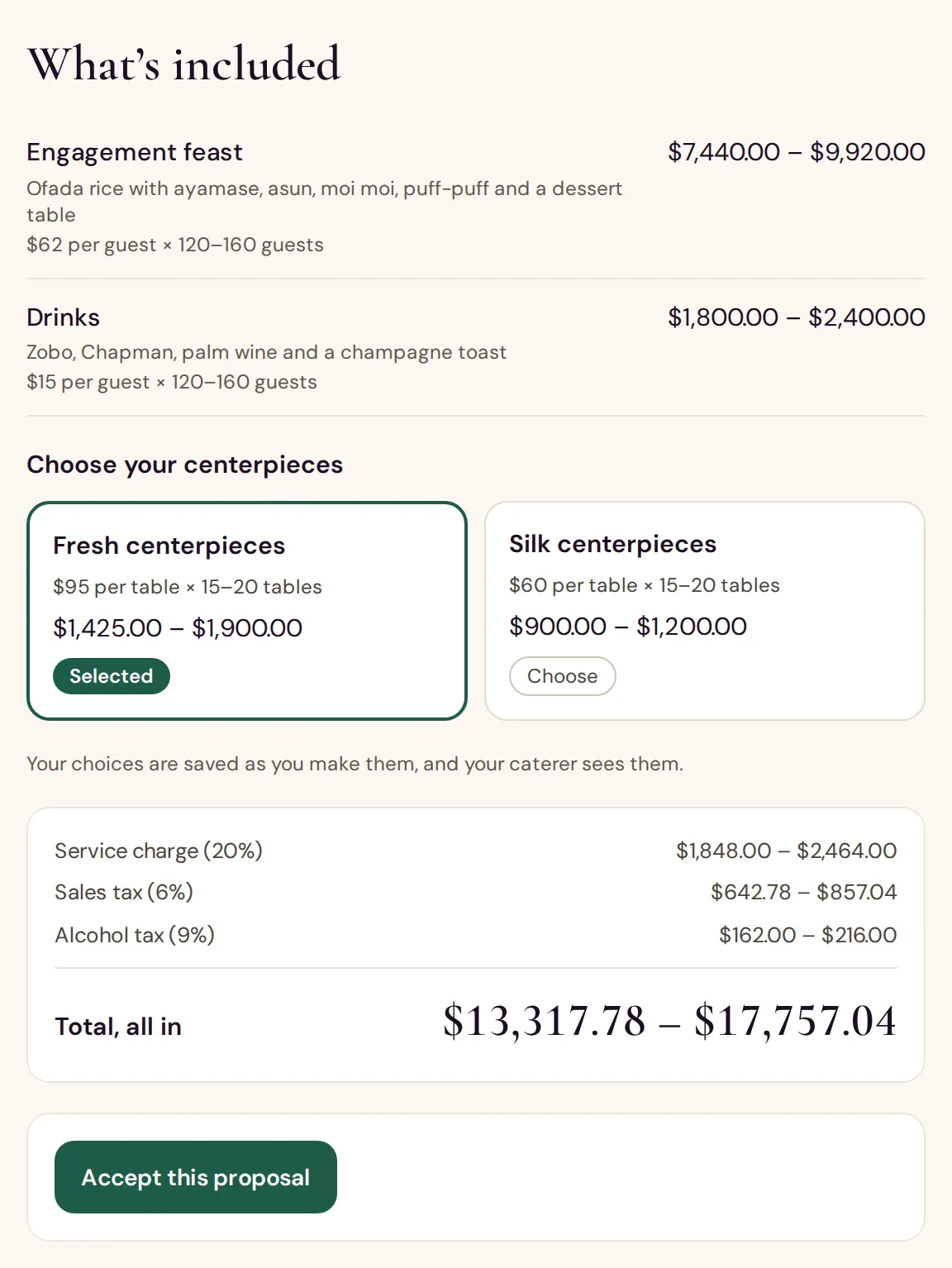
- On your event page, under Your next steps, click Review your proposal.
- Read What's included, with each item and its price.
- Where you see options side by side, such as fresh or silk centerpieces, click Choose on the one you prefer. The total updates as you choose, and your caterer sees your choice.
- Check the total, all in, and how long the proposal is valid.
Accept it
- When you've chosen in every group, click Accept this proposal.
- Confirm with Yes, accept it.
Your page then says when you accepted it. Your caterer will be in touch about the agreement.
Sign your agreement
- Your caterer sends your agreement through BoldSign, an e-signature service. You'll get an email from BoldSign saying your caterer has sent you an agreement to sign.
- Open it, read the agreement, and sign it on BoldSign's page. You can do this on your phone or computer.
Your caterer is told when you've signed, and your event is usually booked then.
Who gets emailed
- Your caterer, when you accept the proposal and when you sign the agreement.
- You, from BoldSign, with the agreement to sign.
What you'll see when it worked
Your proposal says you accepted it, and your choices are set. To change a choice after that, ask your caterer.
If something goes wrong
| What you see | What to do |
|---|---|
| This proposal has expired, so it can't be accepted. Ask your caterer for an updated one. | Ask your caterer to send an updated proposal. |
| Choose an option in every group before accepting. | Choose one option in each group, then accept. |
| A newer proposal was sent. Review that one. | Go back to your event page and open the newer proposal. |
| One of your choices is no longer offered. Ask your caterer for an updated proposal. | Ask your caterer to update it. |
Be careful
- Once you accept, your choices are set. Check them before you click Yes, accept it.